Keep your coding agentsin sight.
Sidelong keeps Claude, Codex, Antigravity and Maestri in view from the free space on your Mac. See which session needs you, click it and return to the right terminal without leaving your current app.
Stay on top of every agent while you work.
Sidelong watches the agents and tools you already use. When something changes, it shows what needs attention and opens the session where it happened.
See which terminal needs you.
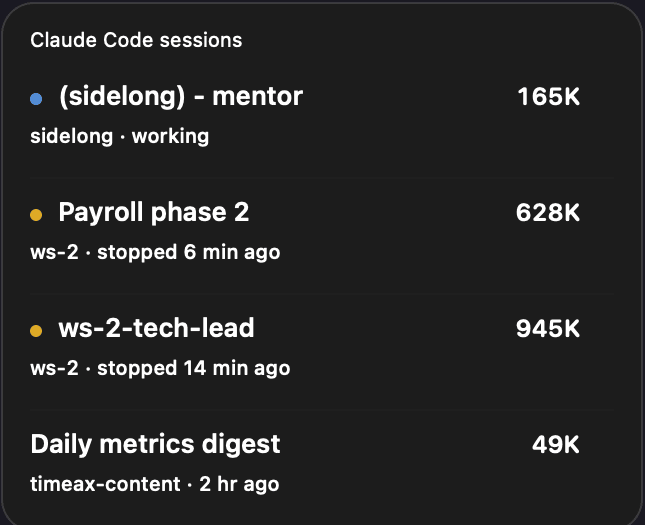
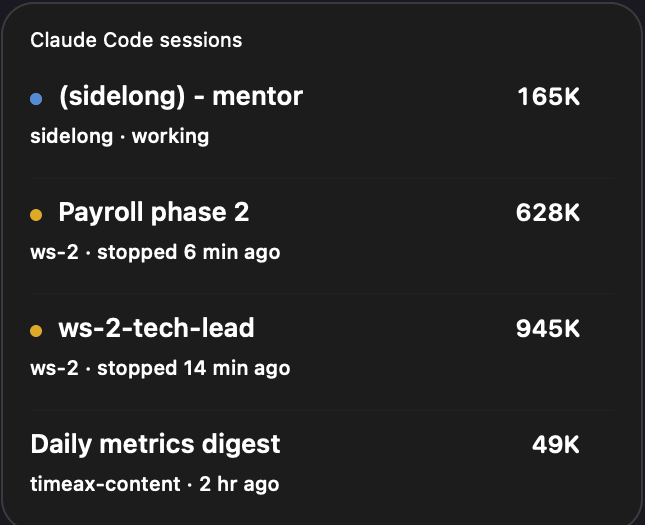
Live hooks tell Sidelong when a session is working, waiting, finished, interrupted or failed. Names, tasks and subagents stay with the conversation. macOS can notify you when a turn ends.
Sidelong uses the space your windows leave open.
Pinned widgets cover your work, and dashboards pull you away from it. Sidelong reads the layout, finds an open region and moves again when your windows move. Drag it once to remember a position on each display.
What Sidelong keeps within reach.
- Account week31%Spark · 5h82%Spark · week96%
Every Claude, Codex and Antigravity limit
See five-hour, account-week and model-specific windows on separate lines, each with its reset time and urgency colour. Sidelong reads them from tools already signed in on your Mac, so it does not need another login.
 Turn finishedWarp · Maestri ↗
Every session, and exactly where it lives
Live hooks identify sessions that are working, waiting, finished, interrupted or failed. Rename Claude, Codex and Orca sessions from the submenu. One click opens the exact Warp tab, Maestri terminal or local Orca tab, and macOS can notify you when a turn ends.
- Claude Code wants to runMedium risk
npm test -- --watch=falseRuns tests and may update snapshots inside this project.Allow ⌥YDeny ⌥NAnswer from the surfacePro
Permission requests and questions appear as cards on the display you are using. Before you answer, on-device Apple Intelligence can summarize the plan, explain the risk and clarify the choices.
Your pull requests, with CIPro
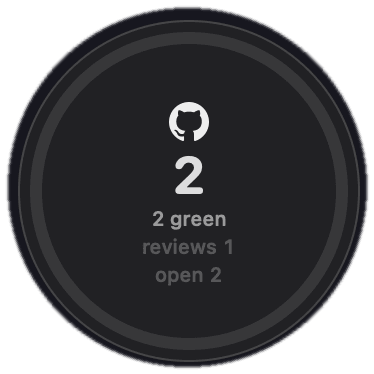
Sidelong tracks CI, review requests and new commits on your pull requests. On supported Macs, Apple Intelligence explains failed jobs locally. When GitHub marks a PR as clean, you can merge it in two clicks.
Local ports, with an ownerPro
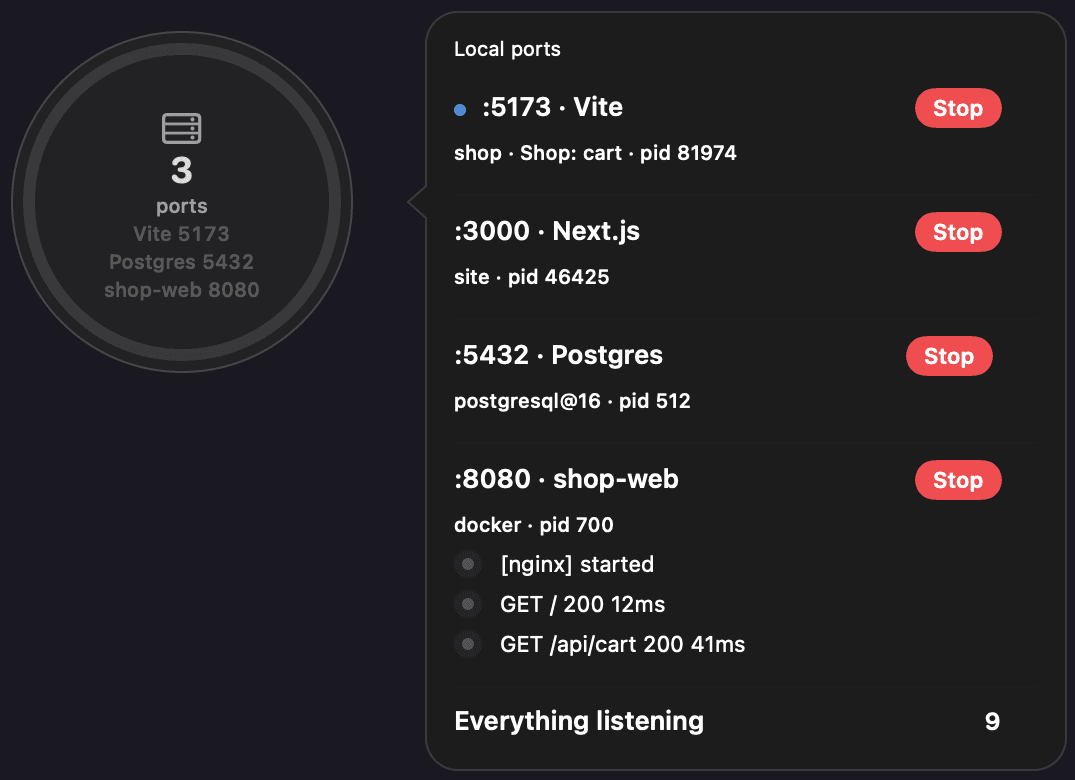
See what is listening, which agent session opened it and the framework behind it. Open the server in a browser, read its live log or stop it. Sidelong gives unknown servers a useful name on device.
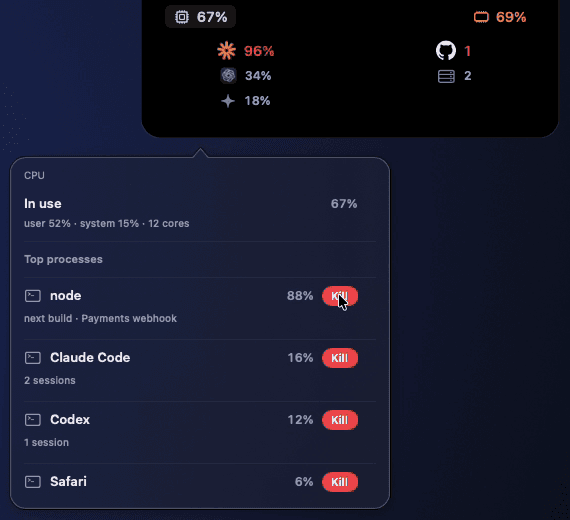
CPU and memory, in the notch
See the same numbers as Activity Monitor, grouped by app, with agent processes labelled. You can kill a process from the panel.
Built for the edges of your Mac.
Bring two bubbles together.
Drop one bubble onto another at an edge and they become a capsule. In a corner, they become rings. Each outline shows that widget's value. Pull the group apart to separate them.
Flick a bubble across the screen.
Release it while it is moving and it glides across the screen, slowing down like a scroll. The speed and direction of your flick set its landing point.
Dock it to the notch.
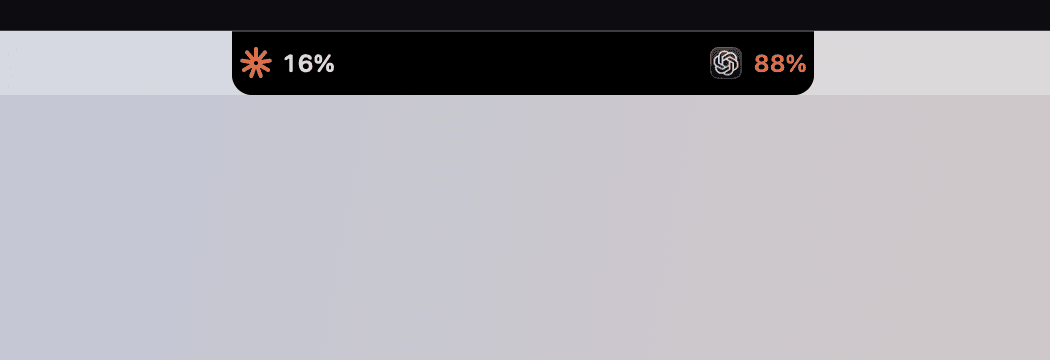
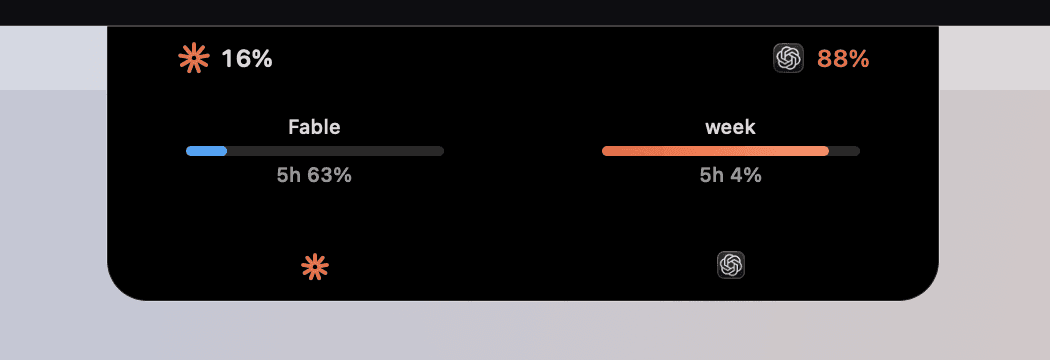
Drag two widgets to the camera cutout and they form a strip beside it, using the same pure black as the notch. Hover over the strip to see CPU and memory above the details for each widget.
Your data stays on your Mac.
Read on your Mac
- Window positions and titles
- Agent session transcripts and hook events
- Apple Intelligence summaries, listening ports and process stats
Sidelong makes these network calls
- Anthropic's usage endpoint, with the token Claude Code already holds
- GitHub, through the gh CLI you already signed in to
- Maestri Wire on your local network, only after you pair it
- GitHub Releases, when you check for updates
What Sidelong does not do
- No Sidelong account and no telemetry from the app
- No hook is written before you say yes in the welcome window
- A backup of the agent's settings file is made before the first write
Start free, then pay once for the actions in Pro.
- Every usage window for Claude, Codex and Antigravity
- Live sessions, tasks, subagents and completion notifications
- Exact jumps to Warp tabs, Maestri terminals and local Orca tabs
- CPU and memory in the notch
- Fuse, throw, dock to the notch
- Every display, three languages
- Pull requests with CI and two-click merge
- Local ports with logs and Stop
- Questions and permissions answered from the surface
Pro is unlocked for the first 3 days. One purchase covers up to 3 Macs.
Questions people ask.
How Sidelong compares
| A dashboard | A pinned widget | Sidelong | |
|---|---|---|---|
| Where it lives | Its own window or tab | One fixed corner | The region no window occupies |
| When your layout changes | You go back to it | It covers your work | It moves out of the way |
| To act on a session | Switch apps, find the terminal | Switch apps, find the terminal | One click to the exact tab |
| Best for | Reviewing after the fact | One glanceable number | Running the agent loop while you work |
What is Sidelong?
Sidelong is a native macOS command center for your AI agents. It shows usage, sessions, pull requests, local ports and system context in the free space around your windows.
Does Sidelong send my data anywhere?
No. Sidelong has no account or telemetry; local session, hook and process data stays on your Mac. Its network calls are limited to the integrations you enable and update checks.
Which Macs does Sidelong support?
Sidelong requires macOS 14 or later on Apple Silicon.
Try Sidelong.
Download the DMG, drag Sidelong to Applications and open it. On first launch, Sidelong explains why it needs Accessibility access and asks before adding any agent hooks. Maestri pairing appears only if Maestri is installed.
macOS 14 or later, Apple Silicon. Free, with three days of Pro; then $15.